When More Lumens Make Things Worse: The Room Light Paradox That Defeats High-Brightness Projectors

There is a purchasing assumption so deeply embedded in projector buying culture that most users never question it: brighter is better. Walk into any big-box electronics retailer from Chicago to Phoenix, and the sales conversation will almost certainly pivot to lumens within the first two minutes. Higher output, the reasoning goes, means the image survives more ambient light. It means flexibility. It means value.
Except, in a meaningful number of real-world rooms, that reasoning is wrong — and demonstrably so.
Sanyo LCD projectors are engineered with precision optical systems designed to deliver calibrated, consistent output under controlled conditions. But no projector, regardless of its lumen specification, operates in isolation. It operates inside a room. And that room has windows, recessed fixtures, reflective surfaces, and light behaviors that the specification sheet was never designed to account for.
The Specification Gap Between Lab and Living Room
Manufacturer lumen ratings are measured in controlled dark environments using standardized test methods. That number tells you the maximum light output the projector can produce. It tells you nothing about how that light behaves once it enters your specific room — how it scatters, how it reflects, how it competes with other sources, and crucially, how the human visual system interprets the resulting image.
Contrast ratio is the metric that actually determines perceived image quality under real-world conditions. And contrast is a relational value: it describes the difference between the brightest whites and the deepest blacks your system can produce simultaneously. When ambient light enters the equation, it raises the floor of that relationship by washing out shadow detail. A projector with 4,000 lumens in a room with uncontrolled ambient light may deliver a lower effective contrast ratio than a 2,500-lumen unit operating in a thoughtfully managed environment.
This is the paradox. More output does not compensate for scattered light — it amplifies the problem.
How Natural Light Becomes an Optical Adversary
Windows are among the most misunderstood variables in home theater and conference room projection setups across the United States. A south-facing window in a suburban Denver home office behaves completely differently at 10 a.m. than it does at 3 p.m. Seasonal sun angle changes compound this further. What appears to be a well-shaded room during your initial projector evaluation may transform into a high-interference environment during afternoon presentations or evening screenings when low-angle light sneaks beneath blinds or reflects off adjacent surfaces.
The specific challenge with LCD projection technology is the way light panels interact with scattered illumination. Sanyo's three-panel LCD architecture processes red, green, and blue channels through separate optical paths before recombination. Stray light entering the projection path — or reflecting off the screen surface back into the room and then bouncing off a nearby wall onto the screen again — can selectively degrade certain color channels more than others. The result is not simply a dimmer picture. It is a color-shifted, contrast-compromised picture that no brightness increase can fully correct.
Recessed Lighting: The Invisible Offender
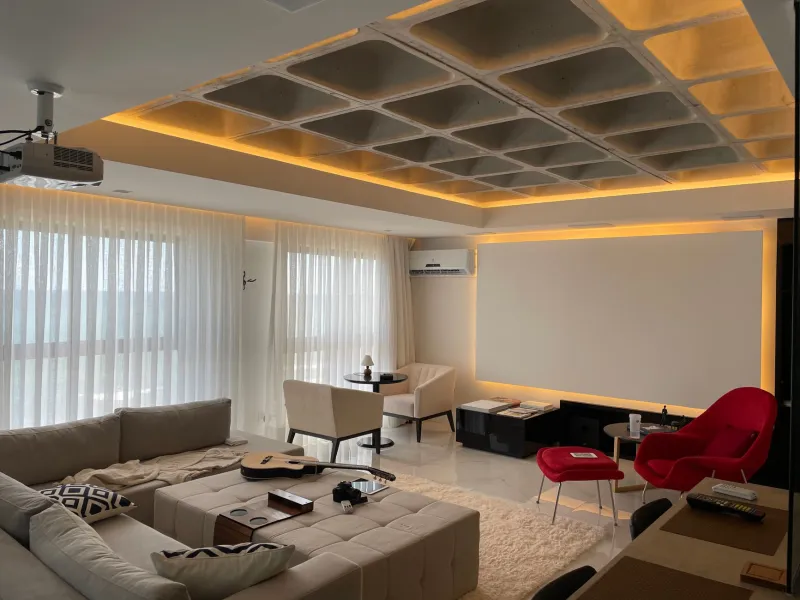
Few ambient light sources cause as much undiagnosed projection interference as recessed ceiling fixtures positioned between the projector and the screen. In American residential construction, six-inch can lights are ubiquitous — and they are frequently installed in exactly the ceiling zone where a rear-positioned projector casts its beam.
Even when dimmed, these fixtures emit light at angles that intersect the projection path. The result is a subtle but persistent degradation of image uniformity. Viewers rarely identify the source of the problem because the degradation is gradual and spatially consistent. They simply perceive the image as looking slightly washed out or lacking depth — and assume the projector needs a lamp replacement or a firmware update.
The diagnostic test is straightforward: disable every recessed fixture in the room and evaluate the image quality change. In many cases, the improvement is immediate and significant. The follow-up question — whether to redirect, replace, or simply disable those fixtures during projection use — is a practical one that depends on room function and budget.
Reflective Surfaces and the Secondary Light Problem
High-gloss flooring, glass-topped coffee tables, framed artwork with reflective glazing, and even certain paint finishes can act as secondary light sources that bounce ambient illumination toward the screen from unexpected angles. This is particularly common in open-plan American homes where living spaces combine entertainment areas with dining or kitchen zones that have their own independent lighting schemes.
The counter-intuitive insight here is that a higher-output projector can make this problem more visible, not less. Greater brightness increases the intensity of any light that scatters off the screen surface back into the room, amplifying secondary reflections from nearby surfaces and creating a feedback loop of ambient contamination.
Matte screen surfaces help interrupt this cycle. Gain values below 1.0 — screens that intentionally absorb rather than amplify reflected light — are worth serious consideration in rooms with complex ambient conditions, even though they nominally reduce the brightness reaching the viewer's eyes. The net effect on perceived image quality is often positive.
Diagnosing Your Room Before Adjusting Your Projector
Before reaching for the brightness or contrast controls on a Sanyo LCD projector, it is worth conducting a systematic ambient audit. This requires no specialized equipment — only time and methodical observation.
Begin by identifying every light source in the room: natural light from each window at different times of day, every artificial fixture, indicator lights on electronics, and any light bleed from adjacent spaces. Document when each source is active and at what intensity. Then evaluate your projected image under each condition independently.
Next, map reflective surfaces by moving a flashlight slowly around the room while watching the screen for secondary illumination. Pay particular attention to surfaces at low angles, which are more likely to redirect light toward the lower portion of the projected image — a zone where shadow detail is most critical to perceived depth.
Finally, test the image at your projector's native color temperature setting rather than a boosted mode. Many users inadvertently engage enhanced brightness modes that increase output at the expense of color accuracy, making ambient interference worse while believing they are compensating for it.
Practical Interventions That Don't Require Renovation
Controlling ambient light does not necessarily mean blacking out windows or rewiring fixtures. Several targeted interventions deliver meaningful improvement at modest cost.
Heavy cellular shades or blackout roller blinds installed on problem windows can be deployed selectively during projection use without permanently altering the room's daytime character. Directional recessed fixtures can be fitted with baffles that reduce lateral light scatter. Reflective surfaces near the screen can be addressed with temporary repositioning of furniture or artwork during viewing sessions.
For conference environments, where window control is often limited by building standards or tenant restrictions, the strategic placement of a portable screen with a high-contrast ambient light rejection (ALR) surface can recover significant image quality without touching the room's infrastructure.
The underlying principle in each case is the same: invest in controlling the light environment before investing in higher projector output. A Sanyo LCD projector operating in a well-managed room will consistently outperform a higher-specification unit struggling against uncontrolled ambient conditions.
Rethinking the Lumen Conversation
The projector industry has conditioned buyers to treat lumen output as the primary measure of real-world performance. For environments where light control is impossible — outdoor screenings, trade show floors, permanently windowed boardrooms — high output remains genuinely important. But for the majority of home theater and conference room installations across the United States, the more consequential investment is in understanding and managing the light that already exists in the room.
Clarity in every pixel is not achieved by overpowering ambient light. It is achieved by removing the conditions that compromise it in the first place.