Room Intelligence: How Your Projection Environment's Air Quality Determines Long-Term LCD Panel Performance
There is a particular frustration that arrives slowly. The image your Sanyo LCD projector once delivered — sharp, vibrant, authoritative — begins to feel slightly softer. Colors appear marginally flatter. You adjust settings, swap cables, and recalibrate color profiles, yet the degradation persists. In many cases, the culprit is not the projector itself. It is the room surrounding it.
Air quality and environmental conditions inside projection spaces are among the most consequential and least discussed variables in long-term LCD performance. For both dedicated home theater installations and corporate conference rooms across the United States, the atmosphere your projector operates within is quietly shaping every frame it produces.
What Actually Happens Inside an LCD Projector When Air Quality Deteriorates
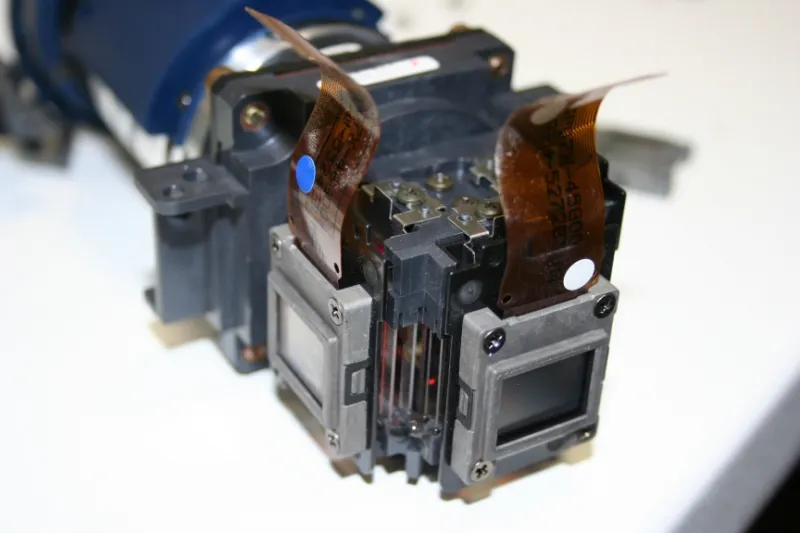
Sanyo LCD projectors, like all precision optical instruments, depend on unobstructed light paths between the lamp, the LCD panels, and the lens assembly. The light engine inside these units draws ambient air through intake filters to manage internal temperatures. Whatever particulates, moisture, or contaminants exist in that ambient air enter the optical pathway.
Dust accumulation on LCD panels is not merely a surface inconvenience. Fine particulate matter — especially the submicron particles that standard filters struggle to capture — settles on panel surfaces and internal optical elements, scattering light before it reaches the screen. The result is a gradual reduction in contrast and a subtle but measurable loss of perceived sharpness. This process unfolds over months, which is precisely why most users attribute the decline to aging hardware rather than environmental neglect.
Humidity compounds the problem in a different dimension. Liquid crystal panels are sensitive to moisture ingress. In regions with high ambient humidity — the Southeast, the Gulf Coast, or any space adjacent to a kitchen or bathroom — moisture vapor drawn into the projector's cooling system can cause micro-condensation on optical surfaces during temperature transitions. Over time, this produces a characteristic clouding effect on the panel itself, one that no amount of external cleaning can remedy.
The Conference Room Problem: Why Commercial Installations Face Greater Risk
Corporate conference rooms present a uniquely challenging environment for LCD projector longevity. These spaces experience frequent occupancy changes, meaning the HVAC system cycles aggressively throughout the workday. Each time a system kicks on after a period of dormancy, it redistributes settled particulates from ductwork directly into the room's air column — often directly toward ceiling-mounted or table-positioned projectors.
Additionally, conference rooms in older US commercial buildings frequently have ductwork that has not been serviced in years. The EPA has documented that indoor air in commercial buildings can contain concentrations of pollutants two to five times higher than outdoor levels, with dust, mold spores, and volatile organic compounds from furniture and carpeting contributing to that burden. For a projector drawing that air through its cooling intake multiple hours per day, the cumulative optical impact is substantial.
Building managers and AV coordinators should treat projector air quality as part of the facility maintenance schedule, not as an afterthought addressed only when image quality becomes visibly problematic.
HVAC Configuration: Positioning Matters More Than You Think
The relationship between your HVAC system and your projector is not passive. Where supply vents and return air grilles are positioned relative to your projector's intake and exhaust ports meaningfully affects how much particulate the unit processes over its operational life.
A projector positioned directly beneath a supply vent receives a concentrated stream of conditioned air — along with any particulates that vent is carrying. Ideally, ceiling-mounted projectors should be located between supply and return zones, in areas of relatively stable, low-velocity airflow rather than directly in the draft path of any single vent.
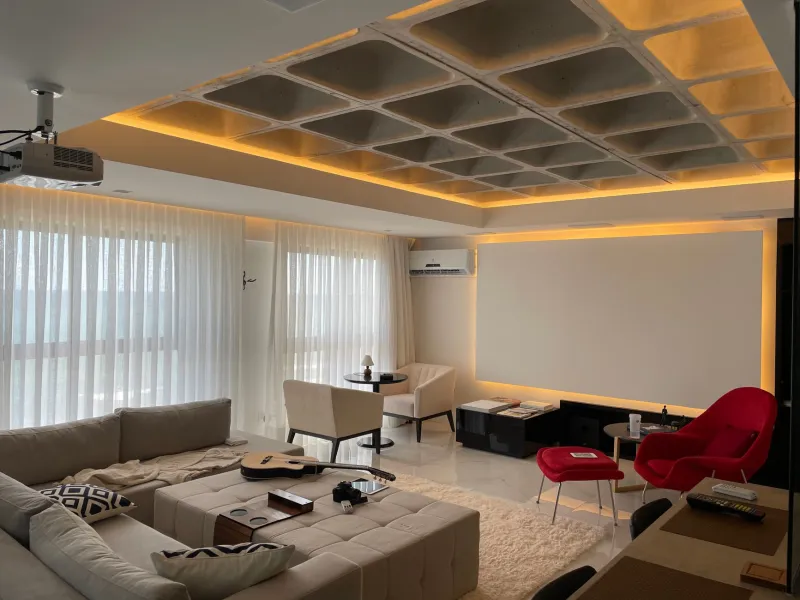
For home theater installations, the same logic applies. Forced-air systems common in American residential construction push air through ducts that accumulate dust over time. Running the system immediately before a viewing session displaces that accumulated material into your theater space. A practical solution: run the HVAC system for fifteen to twenty minutes before seating occupants, allow the air to settle, then begin projection. This simple operational habit meaningfully reduces the particulate load your projector encounters during operation.
Filtration: What Your Projector's Built-In Filter Cannot Do Alone
Sanyo LCD projectors incorporate internal air filters designed to intercept particulate matter before it reaches optical components. These filters are essential, and their maintenance schedule should be treated as non-negotiable. However, they are not designed to compensate for a heavily contaminated room environment. A filter serviced on schedule in a clean room will last significantly longer and perform better than a freshly cleaned filter in a dusty, poorly ventilated space.
Room-level filtration is the upstream defense that protects your projector's internal filter from being overwhelmed. For dedicated home theaters, a standalone HEPA air purifier positioned away from the projector — to avoid introducing additional airflow turbulence near the unit — can dramatically reduce ambient particulate levels. Look for units rated for the square footage of your space, and prioritize models with genuine HEPA certification rather than "HEPA-type" designations, which do not meet the same filtration standard.
For commercial installations, specifying MERV-13 or higher rated filters in the building's HVAC system is a meaningful upgrade that benefits both occupant health and equipment longevity. This is a conversation worth having with your facilities management team before a projector installation, not after image complaints begin.
Temperature Stability: The Overlooked Dimension of Optical Preservation
Beyond particulates and humidity, temperature fluctuation itself poses a threat to LCD panel integrity. Rapid thermal cycling — the kind that occurs when a projector operates in a room that swings significantly between occupied and unoccupied temperatures — causes the microscopic alignment structures within LCD panels to experience repeated mechanical stress.
In US climates where buildings are cooled aggressively during summer days and allowed to warm considerably overnight, this cycling can be pronounced. Maintaining a more consistent room temperature, even during unoccupied periods, is not merely an energy management consideration — it is an equipment preservation strategy. A moderate, stable temperature is preferable to dramatic swings, even if the average temperature across those swings might appear acceptable.
For home theater spaces, programmable thermostats that maintain a narrower temperature band around the clock are a worthwhile investment. For commercial spaces, coordinating with building management to reduce the temperature differential during unoccupied hours can extend the operational life of installed AV equipment meaningfully.
Practical Room Design Choices That Protect Your Investment
Several room design decisions, made at the installation stage or during renovation, directly influence the air quality environment your projector will inhabit for years.
Hard flooring surfaces — tile, hardwood, or polished concrete — generate and harbor significantly less airborne particulate than carpet. If your projection space currently features carpet, high-quality area rugs that are removed and cleaned regularly represent a reasonable compromise. Acoustic panels and wall treatments, common in home theater design, should be selected for low off-gassing and low particulate shedding, particularly in the first months after installation when new materials are most volatile.
Sealing gaps around doors and penetrations reduces the infiltration of unfiltered exterior air, particularly in regions with high pollen counts or construction activity nearby. This is especially relevant for ground-floor installations in suburban or semi-rural US settings.
The Maintenance Posture That Preserves Clarity Over Years
The projectors that continue delivering exceptional image quality after five or more years of regular use are rarely the beneficiaries of luck. They operate in environments where someone made deliberate choices about air quality, temperature consistency, and filtration — and then maintained those choices with routine discipline.
Cleaning your projector's external filter on the manufacturer's recommended schedule is the baseline. Building a room environment that reduces the burden on that filter is the practice that actually determines whether your LCD panels remain optically excellent over the long term.
Clarity in every pixel is not solely a function of the hardware you purchase. It is, in equal measure, a function of the environment you build around it.