Pixel Compromise: Why Digital Zoom Is Quietly Destroying Your Projection Clarity — And What to Do Instead
There is a persistent assumption among projector buyers — particularly those setting up home theaters or corporate presentation spaces for the first time — that digital zoom is simply a software version of optical zoom. Convenient, flexible, and essentially equivalent in outcome. That assumption is wrong, and the consequences of acting on it are visible in every frame your projector throws onto the screen.
Digital zoom does not magnify or reduce an image the way a lens does. It manipulates pixel data. And when pixel data is manipulated rather than optically adjusted, the image quality that Sanyo LCD technology works to preserve begins to erode in ways that are subtle at first, then increasingly difficult to ignore.
What Digital Zoom Actually Does to Your Image
When a projector engages digital zoom to reduce image size, it is effectively cropping the native resolution frame and then scaling that cropped portion back up to fill the display area — or, in some implementations, simply discarding the outer pixels entirely. Either way, the result is a reduction in the effective pixel count contributing to the final image.
Consider a native 1080p projector operating at 1920 × 1080 pixels. At full resolution, every one of those pixels participates in rendering the image. Apply a modest digital zoom reduction — say, to 80 percent of the original size — and the projector is now working with a meaningfully smaller pixel array, then interpolating that data to reconstruct what the full image should look like. Interpolation is an educated mathematical guess. It is not the same as actual image data, and the visual difference between the two is measurable under any serious evaluation.
The degradation manifests in several ways: fine detail softens, high-contrast edges lose their definition, and text — particularly critical in business presentation environments — becomes harder to read at smaller font sizes. For home theater users watching content with fine film grain or intricate visual textures, the loss is equally apparent.
The Zoom Convenience Trade-Off in Real Environments
The appeal of digital zoom is understandable. A projector mounted in a fixed position that produces an image slightly too large for the screen, or one that overhangs the frame on one side due to placement constraints, seems like a simple problem to solve with a menu adjustment. And in the short term, it is.
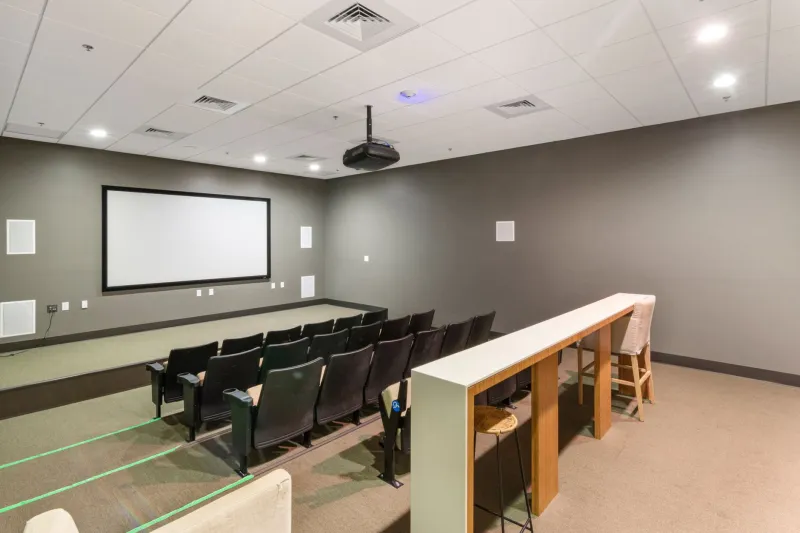
But consider a typical US home theater setup where the projector is ceiling-mounted at a fixed throw distance determined by the room's architecture. If the screen size selected during planning doesn't align precisely with the projector's native throw ratio at that distance, the temptation to compensate with digital zoom is strong. The same scenario plays out in corporate boardrooms where projectors are installed in drop ceilings above conference tables, often positioned based on structural constraints rather than optimal optical geometry.
In both cases, digital zoom becomes a permanent compromise — one that operates invisibly in the background, quietly undermining every presentation, every film, every detail-rich spreadsheet or architectural rendering displayed in that room.
Optical Zoom: The Legitimate Flexibility Tool
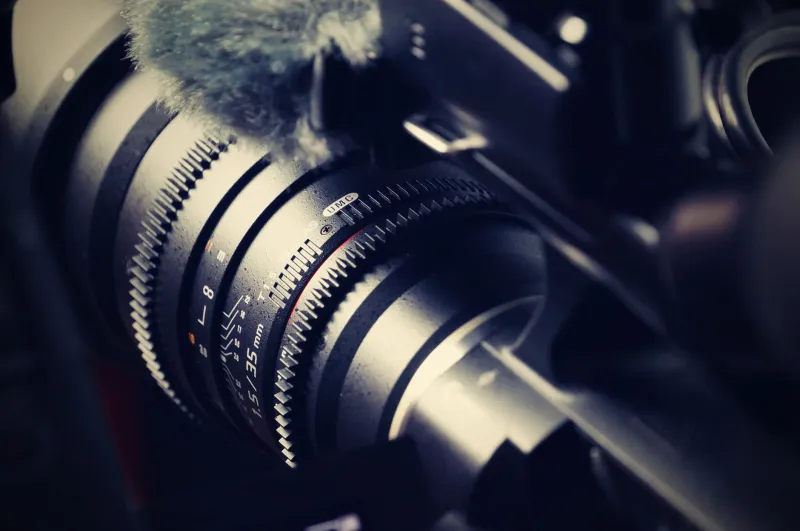
It is worth distinguishing digital zoom from optical zoom before discussing lens shift, because the two are often conflated. Optical zoom adjusts the lens elements themselves to physically change the focal length, altering image size without any manipulation of pixel data. A projector with a true optical zoom range can be positioned across a spectrum of throw distances and still produce a full-resolution image at each position.
Sanyo LCD projectors with optical zoom capability offer genuine flexibility without the image quality penalties associated with digital processing. When evaluating projector specifications, the zoom ratio listed under optical specifications is meaningful. A listed digital zoom specification, while occasionally useful for minor adjustments, should never be treated as equivalent.
Lens Shift: Precision Without Pixel Penalty
Lens shift is the feature that separates projectors designed for serious installation from those designed for casual use. A lens shift mechanism allows the optical assembly to move vertically and, in many implementations, horizontally — redirecting where the projected image lands on the screen without altering the projector's physical position and without touching the pixel data.
The practical value of this is significant. A projector mounted slightly off-center from the screen's horizontal axis can use horizontal lens shift to align the image precisely without any keystoning or digital manipulation. A ceiling-mounted unit positioned higher than ideal can use vertical lens shift to bring the image down to the correct screen position. In both cases, the full native resolution of the LCD panel is preserved, and the image the projector was designed to produce arrives on screen intact.
For home theater users, lens shift is particularly valuable because it enables precise screen alignment without requiring the projector to be physically repositioned — a meaningful advantage in rooms where ceiling mounting locations are constrained by joists, lighting fixtures, or HVAC elements. For business installations, it allows AV integrators to work within the realities of conference room architecture while still delivering a sharp, properly aligned image.
When Repositioning Is the Right Answer
There are scenarios where neither digital zoom nor lens shift is the appropriate solution — where the correct answer is simply moving the projector. This is especially true when a projector's throw distance is significantly mismatched with the screen size, pushing the required zoom adjustment beyond what optical zoom or lens shift can accommodate without optical distortion.
Buyers who plan their installation carefully — calculating throw distance using the projector's specified throw ratio before purchasing the screen or finalizing mounting positions — avoid this problem entirely. Sanyo LCD projectors publish throw ratio specifications precisely because this calculation should happen before installation, not after.
If you are evaluating an existing installation where digital zoom has been engaged as a workaround, the diagnostic question is simple: what would it take to eliminate the digital zoom entirely? If the answer is a straightforward mounting adjustment or a screen size change, that investment will return a measurable improvement in image quality that persists for the life of the installation.
Protecting the Investment You've Already Made
Sanyo LCD technology is engineered to deliver clarity at the pixel level — accurate color reproduction, sharp detail resolution, and consistent luminance across the image plane. Digital zoom undermines all three by introducing an interpolation layer between the LCD panel's native output and the final projected image.
For buyers still in the planning phase, the guidance is to prioritize projectors with meaningful optical zoom ranges and, where the budget allows, lens shift capability. These features cost more upfront, but they protect the image quality investment over the full operational life of the installation.
For those already operating with digital zoom engaged, the priority should be understanding what physical adjustment would allow it to be disabled. In most cases, the path to full image fidelity is shorter and less expensive than it appears — and the difference in picture quality, once digital zoom is removed from the signal chain, is immediately visible.