Resolution Is Not the Whole Story: What Projector Buyers Get Wrong About Image Sharpness
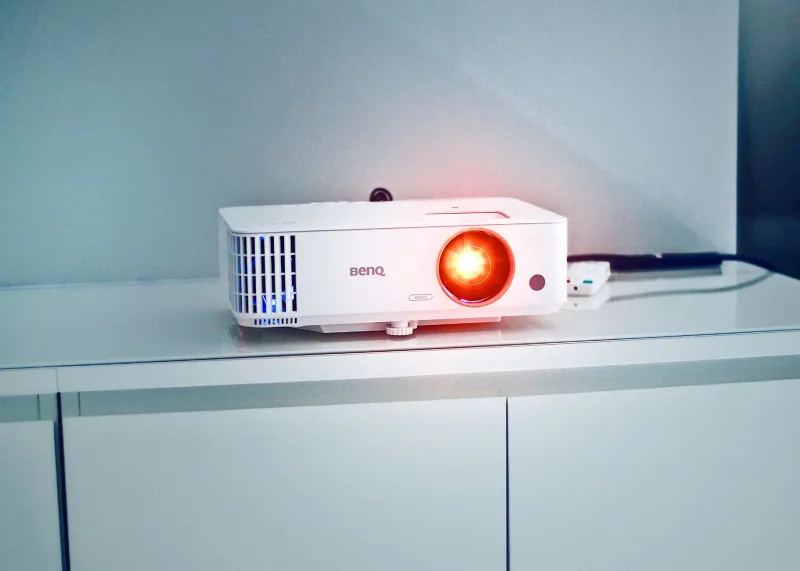
Walk into any electronics retailer or browse the projector listings on any major US e-commerce platform, and you will encounter a consistent pattern: resolution is marketed as the single most important measure of image quality. 4K projectors dominate the premium shelves. Full HD models are positioned as the sensible middle ground. Anything lower is treated as a compromise. The implication is clear — more pixels equals a better picture.
That assumption is understandable. It transfers logically from the flat-panel television market, where a 4K screen placed next to a 1080p screen of identical size will, in most cases, show a visible difference in fine detail. But projection technology operates under a fundamentally different set of physical rules. The relationship between pixel count and perceived sharpness is far more complicated once light leaves a lens and travels across a room to illuminate a surface.
How Projection Physics Complicate the Pixel Equation
A flat-panel display emits light from a fixed, rigid matrix of pixels. The relationship between the panel and the viewer is direct and stable. A projector, by contrast, generates an image by passing light through or reflecting off a chip, then magnifying and throwing that image across a variable distance onto a surface that is rarely perfectly flat, uniformly white, or entirely smooth.
Every step in that optical chain introduces variables that can soften the final image regardless of the native resolution of the imaging chip. The quality of the projection lens is arguably the most significant of these variables. A 4K projector equipped with a budget-grade lens will frequently produce a less sharp image than a well-engineered 1080p unit with premium optics. The lens must focus millions of pixels with consistency across the entire image plane — edge to edge, corner to corner — and lower-cost lens assemblies rarely achieve this uniformly.
Throw distance introduces additional complexity. As the projector moves farther from the screen, the projected image enlarges, and the optical demands on the lens increase proportionally. A unit that renders a crisp image at ten feet may show softness, chromatic aberration, or edge blur when stretched to eighteen feet. Resolution cannot compensate for these optical shortcomings.
The Viewing Distance Factor Most Buyers Ignore
Human visual acuity imposes a hard ceiling on the resolution benefit any viewer can perceive. The eye's ability to distinguish individual pixels depends on the angular size of those pixels — which is determined not just by pixel count but by screen size and seating distance.
For a 100-inch screen viewed from twelve feet — a common home theater configuration in American living rooms — the visual acuity threshold at which a typical viewer can distinguish 4K from 1080p is right at the edge of human perception under ideal conditions. Move that seating position back to fifteen or sixteen feet, which is not unusual in larger rooms, and the practical difference between 4K and 1080p becomes imperceptible to most viewers without deliberate, side-by-side comparison.
This is not a theoretical argument. It reflects the established science of visual resolution thresholds, and it has direct financial consequences for buyers who spend significantly more to acquire 4K projection in rooms where the seating geometry eliminates any meaningful advantage.
Native Resolution vs. Processed Resolution
Another source of confusion in the projector market is the distinction between native and processed resolution. Some projectors marketed as 4K use a technique called pixel shifting, in which a 1080p or 2716×1528 chip rapidly shifts its position to simulate a higher-resolution output. The result can be impressive, and for many viewing applications it is entirely adequate. But it is not the same as a true 4K native chip, and buyers should understand what they are purchasing.
Native 4K chips — those with a full 3840×2160 pixel matrix — exist in a relatively narrow band of projectors, most of them positioned at the upper end of the market. The visual benefit of true native 4K is most apparent in slow-moving, high-contrast content such as architectural photography, detailed landscapes, or fine text — content types that stress a display's ability to render static fine detail. For fast-moving content like sports or action films, motion processing and refresh characteristics frequently have more perceptible impact than the difference between native and processed 4K.
Where Higher Resolution Genuinely Matters
None of this is an argument against resolution. In the right context, higher pixel density produces measurably better results, and dismissing it entirely would be as misleading as treating it as the only factor worth considering.
For business presentations involving detailed spreadsheets, fine typography, engineering schematics, or high-resolution photography, native 1080p or true 4K can render a meaningful improvement in legibility and visual clarity. In a conference room where the screen is relatively small and viewers may be seated close to it, every pixel contributes.
For dedicated home theater installations with large screens — 120 inches and above — viewed from shorter throw distances, and with a source library consisting of native 4K content, a high-quality 4K projector paired with a premium lens represents a legitimate and worthwhile investment. The conditions exist under which the resolution advantage becomes real and visible.
The discipline required of buyers is matching resolution to the actual geometry and use case of their environment, rather than purchasing the highest specification available under the assumption that it will automatically produce the best result.
Lens Quality, Screen Surface, and Room Acoustics
When building a projection system intended to deliver the sharpest possible image, resolution should be evaluated alongside — and in some cases subordinated to — lens quality, screen gain and surface texture, ambient light control, and the projector's calibration options.
A high-gain screen can dramatically improve perceived brightness and contrast, which the human visual system interprets as sharpness. A properly calibrated color profile eliminates the washed-out or oversaturated look that makes even high-resolution images appear soft. Blackout curtains or motorized shades in a US home theater context can do more for perceived image quality than a resolution upgrade.
Sanyo's engineering philosophy has long reflected this understanding. Optical performance — the quality of the light path from lamp to lens to screen — is treated as foundational, with resolution specifications understood as one element within a broader system rather than the defining measure of image quality.
Making the Right Decision for Your Room
Before committing to a projector purchase based primarily on resolution, consider the following questions. What is the actual throw distance in your installation environment? What size screen will you be using, and from what distance will viewers typically be seated? What type of content will you project most frequently? And what is the optical quality of the lens included with the projector you are considering?
Answering these questions honestly will lead you toward a more informed purchase — one grounded in how projected images actually behave in real rooms rather than how specification sheets present them on a retailer's website. In projection, clarity comes from the entire optical system working in harmony. Resolution is part of that system. It is not the system itself.