Hidden Signal Killers: How Cable Routing and Environmental Conditions Quietly Destroy Your Projector's 4K Performance
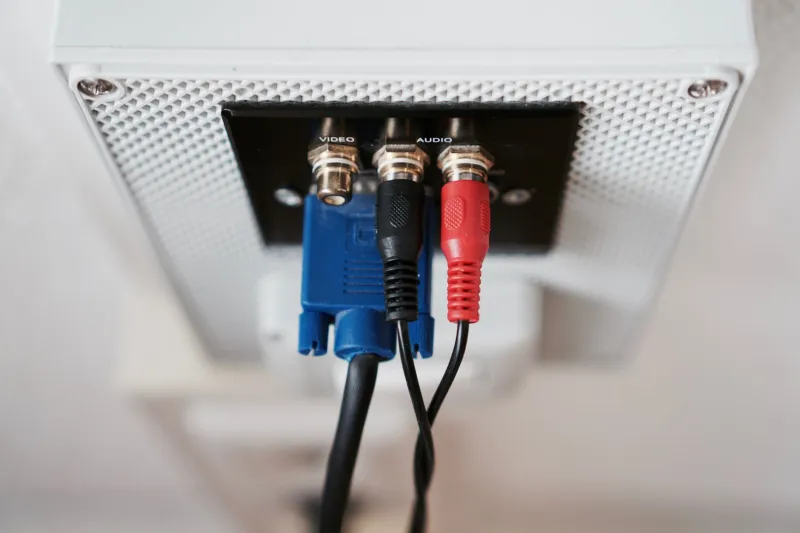
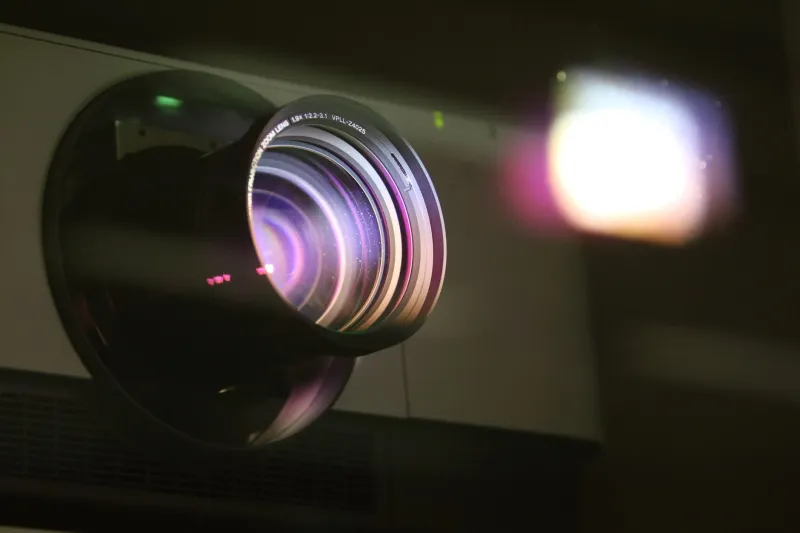
Moving a Sanyo LCD projector from a dedicated home theater to a living room, or repositioning a boardroom installation across the hall, seems like a minor logistical task. Unplug the cables, relocate the unit, reconnect, and resume. Yet a surprising number of business and home theater users report that image quality — which was previously excellent — degrades noticeably after exactly this kind of routine relocation. The projector hasn't changed. The source device hasn't changed. What changed was the cable run, and that difference turns out to matter considerably more than most buyers ever anticipate.
This article examines the specific mechanisms by which cable routing choices, length, and environmental conditions compromise signal integrity — and why the gap between your projector's theoretical 4K capability and its real-world delivered performance can be traced, more often than not, to decisions made before the device was ever switched on.
The Specification Gap Nobody Discusses
When manufacturers rate a projector as 4K-capable, they are describing the device's internal processing and display resolution under ideal input conditions. That rating assumes a clean, uncompromised signal arriving at the HDMI or DisplayPort input. It does not account for what happens to that signal during transit — across fifteen, twenty-five, or fifty feet of cable routed through walls, over doorframes, beneath carpeting, or alongside electrical conduit.
HDMI signals carrying 4K content at 60Hz with HDR enabled operate at extraordinarily high data rates. The HDMI 2.0 specification, for instance, requires up to 18 Gbps of bandwidth to transmit this content without compression. At those frequencies, cable quality, length, and routing path become critical variables — not optional considerations.
The projector specification sheet will never mention this. Signal integrity is treated as the installer's responsibility, which means it is frequently overlooked entirely.
Length Is Not Just a Convenience Issue
Passive HDMI cables — the standard, unpowered variety sold at virtually every electronics retailer in the United States — are rated for reliable 4K transmission up to approximately fifteen feet under ideal conditions. Beyond that threshold, signal attenuation becomes a legitimate concern. High-frequency components of the signal degrade first, which manifests not as a complete loss of image but as subtle artifacts: intermittent sparkle noise, color banding, occasional frame drops, or the dreaded "no signal" handshake failures that resolve briefly before recurring.
These symptoms are easy to misdiagnose. Users frequently blame the projector, the source device, or the content format. The cable — particularly one that worked fine at twelve feet in the previous room — is rarely the first suspect when it is now routed across thirty feet of new real estate.
Active HDMI cables with built-in signal boosters, or HDMI over fiber-optic solutions, address this limitation directly. For permanent installations exceeding twenty feet, these alternatives are not premium indulgences — they are functional necessities.
How Routing Paths Introduce Interference
Cable length is only one dimension of the problem. The physical path a cable travels introduces its own set of signal threats, most of which are invisible to the naked eye.
Electromagnetic interference, or EMI, is generated by virtually every powered device in a modern building: HVAC motors, fluorescent lighting ballasts, wireless routers, electrical panels, and even adjacent power cables running parallel to signal cables. When an HDMI cable is routed alongside or across AC power lines — a common outcome when cables are bundled together for aesthetic tidiness or threaded through the same wall cavity — EMI coupling degrades the high-frequency signal components that 4K content depends on.
The National Electrical Code (NEC) provides guidance on separation distances between power and low-voltage signal cables for exactly this reason. In practice, however, home installations and even many commercial setups routinely ignore these separations in favor of convenience. The result is a persistent, low-level interference condition that the user experiences as image instability rather than as an electrical problem.
Shielded HDMI cables offer meaningful protection in high-interference environments. Ferrite chokes — inexpensive cylindrical components that clip onto cable ends — suppress high-frequency interference at the connection points. Neither solution is exotic or expensive, yet both are routinely absent from even premium home theater installations.
Temperature Variation and the Connector Problem
Environmental temperature changes affect cables in ways that are easy to underestimate. In US climates with significant seasonal variation, cables routed through uninsulated wall cavities, attics, or garage spaces experience substantial thermal cycling. Repeated expansion and contraction stresses both the cable jacket and, more critically, the connector terminations.
HDMI connectors depend on firm, consistent contact between nineteen individual pins. As connectors cycle through temperature extremes, the mechanical fit degrades. Contact resistance increases. At high data rates, even marginal increases in contact resistance translate directly into signal errors that the receiving device — in this case, your projector — experiences as handshake failures or image artifacts.
This is why a cable run that performed reliably through last summer may begin exhibiting problems during winter months when attic temperatures drop dramatically. The cable itself has not failed in any obvious sense. The environmental stress has simply accumulated to the point where signal integrity can no longer be maintained.
Humidity Exposure and Connector Oxidation
Moisture presents a related but distinct threat. Cables routed through humid environments — basements in the southeastern United States, for instance, or exterior wall cavities in coastal climates — are exposed to humidity levels that promote oxidation on connector contacts. HDMI connector pins are typically gold-plated to resist this process, but the plating thickness on consumer-grade cables is often minimal. Once oxidation establishes itself on contact surfaces, signal quality degrades in a manner that is gradual enough to escape notice until image quality has deteriorated substantially.
Periodic inspection and cleaning of connector contacts, using appropriate electronics-safe contact cleaner, is a maintenance step that almost no user performs but that pays dividends in sustained signal integrity over multi-year installations.
Practical Mitigation for Business and Home Theater Environments
Addressing these vulnerabilities does not require a complete infrastructure overhaul. A structured approach to cable selection and routing resolves the majority of real-world signal integrity problems.
For runs under fifteen feet in low-interference environments, a quality passive HDMI cable with adequate shielding is sufficient. For runs between fifteen and fifty feet, active HDMI cables or HDMI-over-fiber solutions eliminate length-related attenuation. For runs exceeding fifty feet, or for installations where cable routing through wall cavities is unavoidable, HDBaseT extenders — which transmit HDMI signals over standard Cat6 ethernet cable — provide a robust and cost-effective solution widely used in commercial AV installations across the US.
In all cases, maintaining physical separation between signal cables and AC power lines reduces EMI exposure. Where parallel routing is unavoidable, crossing power cables at ninety-degree angles rather than running them parallel minimizes inductive coupling.
Connector inspection should be incorporated into any routine projector maintenance schedule. Oxidized or physically damaged connectors should be replaced rather than tolerated. The cost of a replacement cable is trivial compared to the performance degradation that a compromised connector introduces.
The Projector Cannot Compensate for a Compromised Signal
Sanyo LCD projectors are engineered to deliver precise, accurate images from high-quality input signals. The processing capability, color management, and resolution rendering inside the device represent a genuine investment in image quality. That investment is partially or fully negated when the signal arriving at the input port has already been degraded by avoidable installation choices.
The cable run between your source device and your projector is not a passive, inconsequential component. It is an active element of your display system, subject to the same environmental and physical stresses as any other piece of technology. Treating it accordingly — through deliberate cable selection, careful routing, and periodic maintenance — is the most cost-effective performance upgrade available to any projector owner, in any room, under any conditions.